Cursor System - Godot 4.5
GRAPHIC ASSETS NOT INCLUDED (see credits).
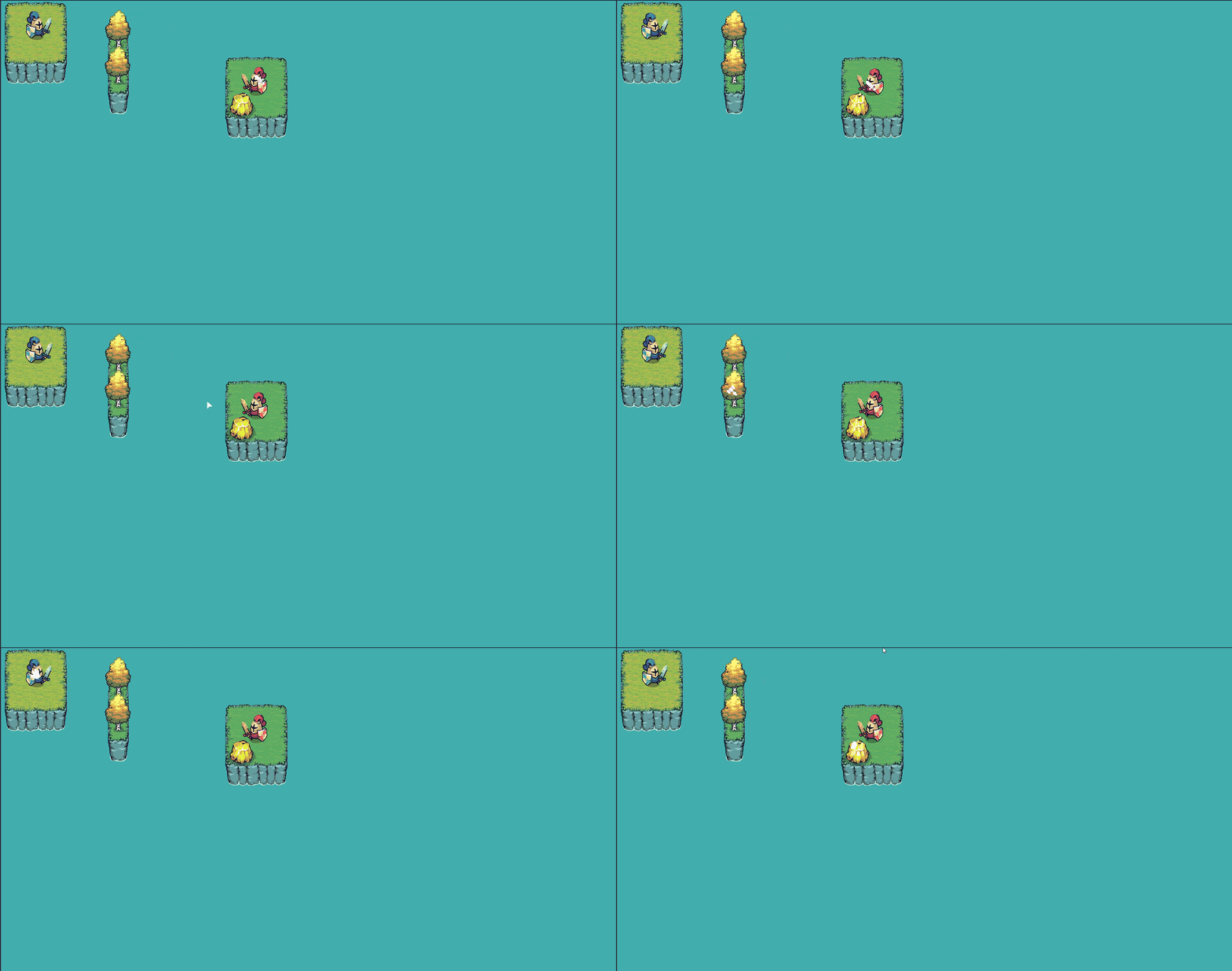
Cursor system to change the look of the cursor depending on the situation.
Easely define cursor types and switch between them .
Once the cursor_data has been defined, you can use set_cursor from the autoload to change the cursor look.
But you can also use and create a class heriting from CursorChangeTrigger to define the logic to choose the cursor look. Once defined you just have to set it in the autoload (Implemented the change of cursor for mouse collision with 2d and 3d objects. see step 4 below).
How to use :
Add cursor_system.gd as an AutoLoad (already done in the godot project).
Step 1 :
Go the cursor_data.gd file in the Data folder and add your cursor type to the enum.
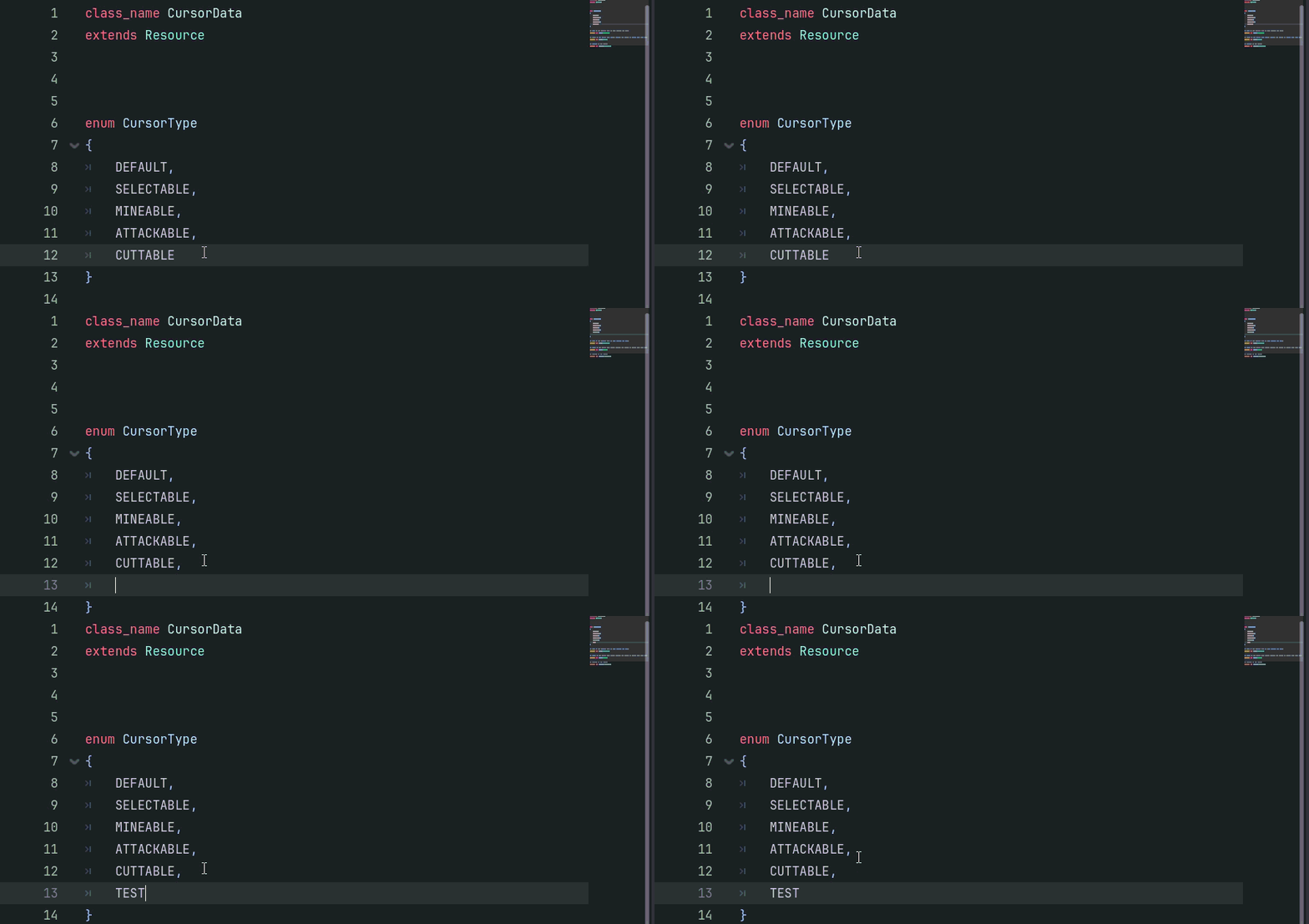
Step 2 :
Go to the data folder and create a CursorData.
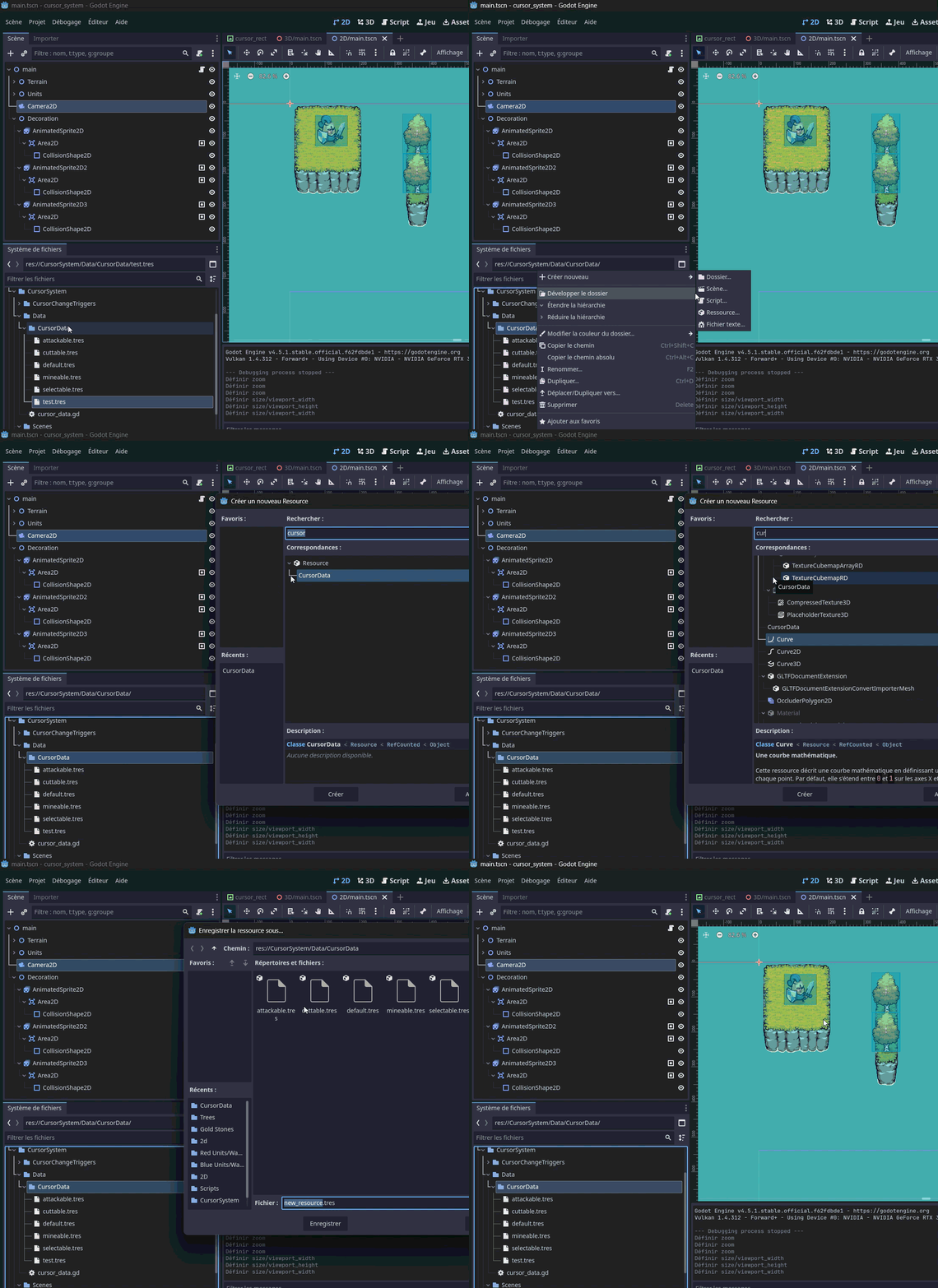
Step 3 :
Set the cursor_type to the newly added value to the enum.
(Optional) Choose a group name to use on the areas/rigidbodies to change the cursor when the mouse collide with them.
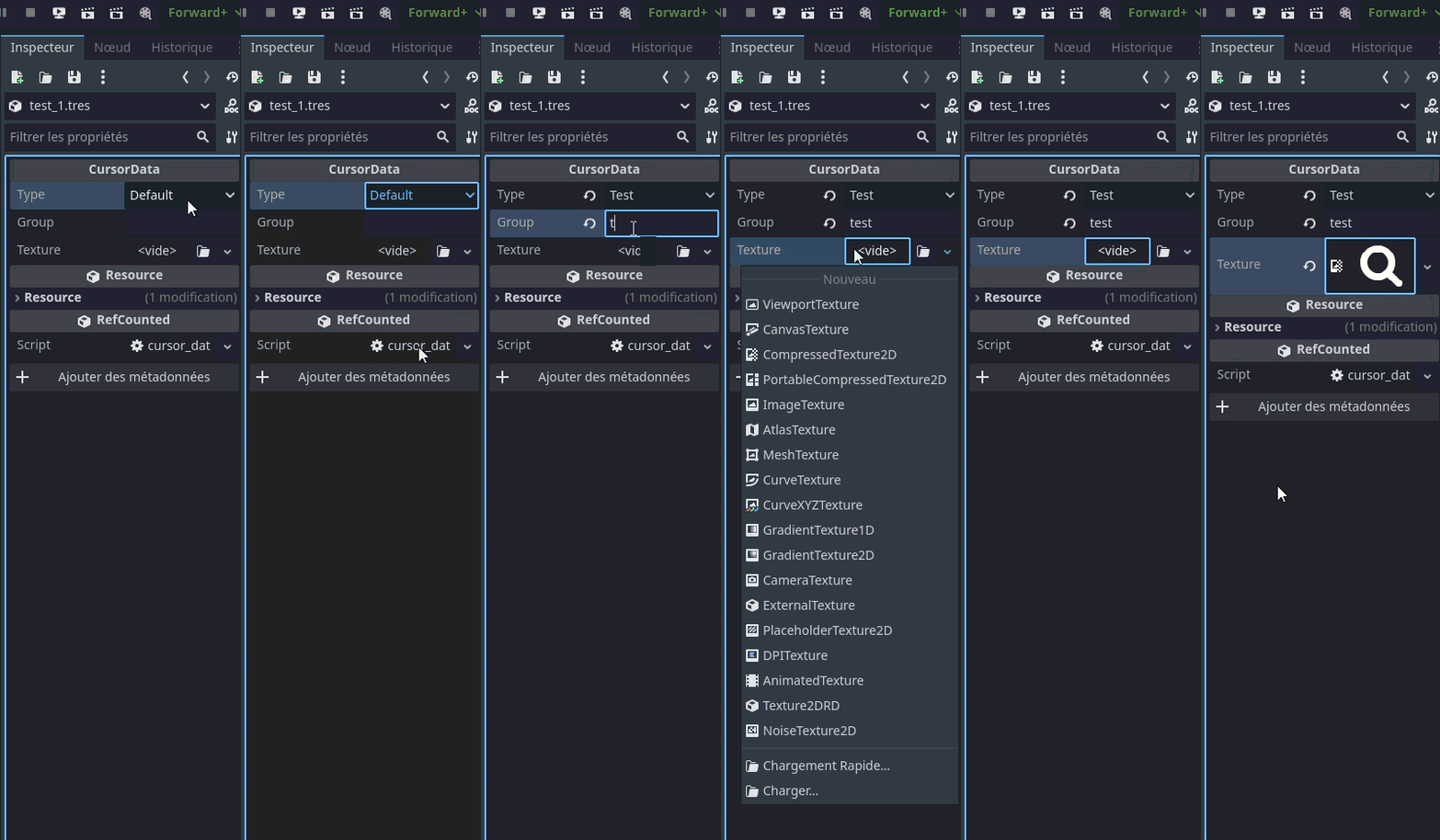
Step 4:
Choose the logic for the determination of the cursor type.
(Included determination according to mouse collision in 2d and 3d).

Step 5:
Add a node to your scene with an area/rigidBody. Put the area/rigidbody in the defined group.
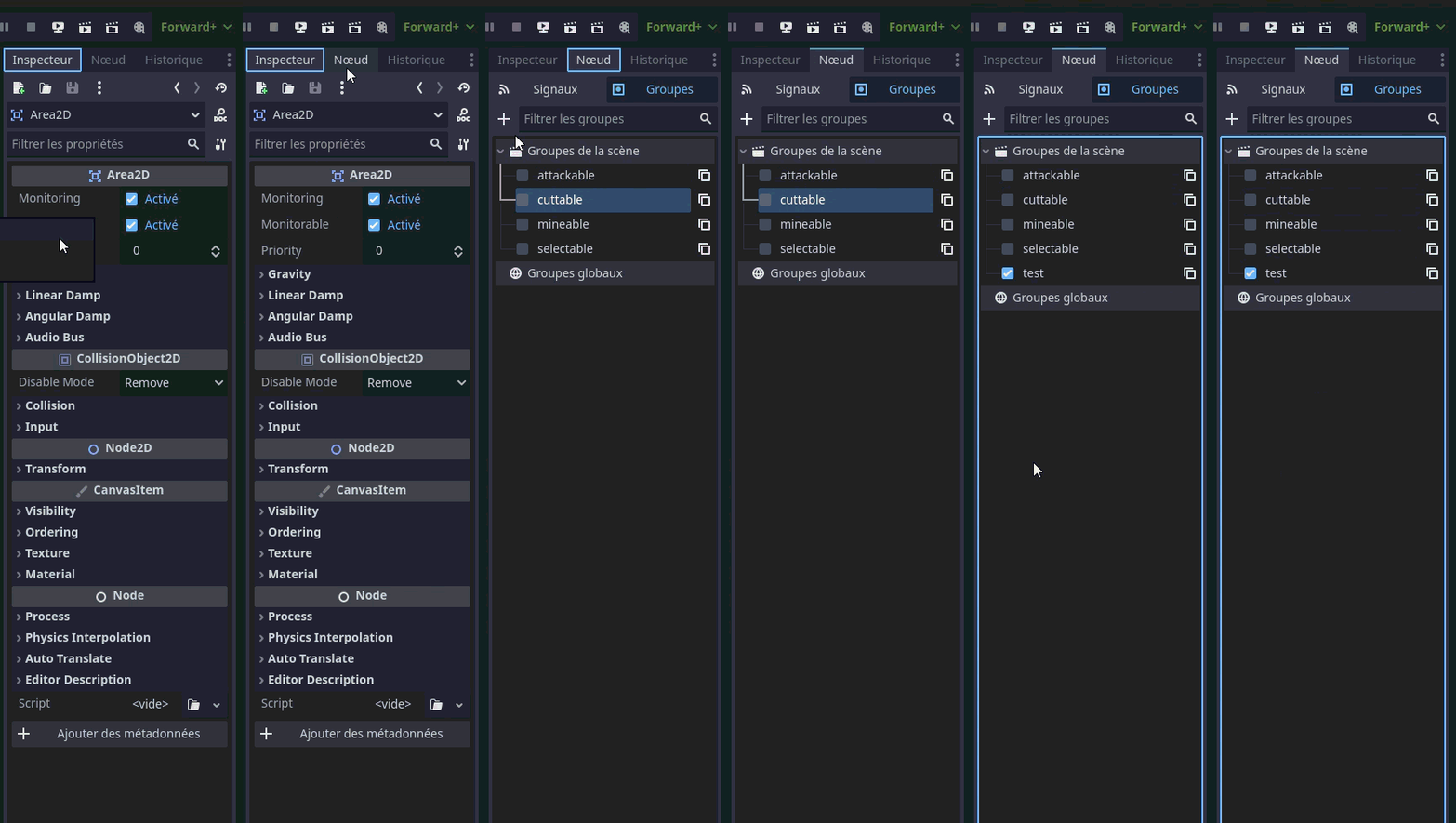
Step 6:
Launch the game and see the result.
YOU CAN:
- Edit and use the asset in any commercial or non commercial project .
-Use the asset in any commercial or non commercial project.
YOU CAN'T:
- Resell or distribute the asset to others.
- Edit and resell the asset to others.
CREDITS :
Cursor icons by Kenney : https://kenney.itch.io (included because CC0)
2d assets by Pixel Frog : https://pixelfrog-assets.itch.io/tiny-swords (not included)
Purchase
In order to download this game you must purchase it at or above the minimum price of $5 USD. You will get access to the following files:
Leave a comment
Log in with itch.io to leave a comment.